
VR
Explore cardiac anatomy and the CardaxEP lab in a Meta Quest headset.
Meta Quest 3 and a compatible Mac host
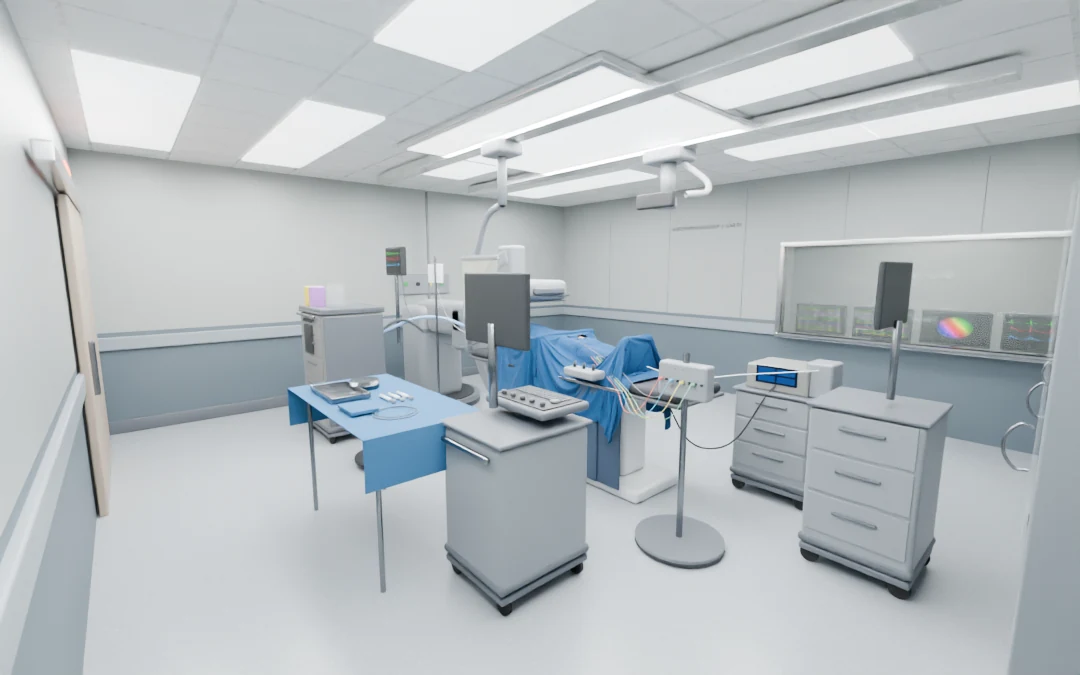
Immersive lab and cardiac anatomy
Explore the layout of a simulated EP room from the operator’s perspective, with a modeled procedure table, imaging equipment, and monitors.
- Look around with tracked head motion and move or turn with headset controllers.
- Switch between an anatomic presentation and a see-through body view to locate the heart in context.
- Point to a region of the heart to identify the structure and share the selection with the host.
Hands-on catheter controls
Operate the simulated ICE catheter and steerable sheath with the corresponding controls at the table.
- Grip with a controller or pinch with a tracked hand to hold a virtual handle.
- Slide or twist a handle to advance, withdraw, or torque the associated catheter or sheath.
- Adjust deflection with the controller or the modeled steering controls, including two steering axes for ICE.
Shared CardaxEP case
The host runs the case and supplies the anatomy, activation field, and instrument displays to the headset.
- Follow the activation map, intracardiac electrograms, and surface ECG as the case evolves.
- Open the CardaxEP and ICE workspaces in the headset to operate the same case from the lab.
- Use the movable virtual control panel to bring case controls into reach.
Procedure display wall
Compare several views of the same simulated case without leaving the procedure table.
- View mapping, recordings, 12-lead ECG, ICE, simulated fluoroscopy, and vitals on the lab display.
- Use the built-in case to populate the displays without recording the Mac screen.
- Assign supported Mac windows to individual display tiles when screen recording permission is granted.
ICE and transseptal interaction
Connect sheath handling with the ultrasound view in a simulated transseptal sequence.
- Steer the virtual ICE catheter and aim its sector toward the sheath.
- Watch for simulated tenting when the sheath reaches the fossa ovalis.
- Perform the modeled crossing and return to the right atrium by withdrawing the sheath.
Host and headset workflow
A compatible Mac hosts the simulation while the headset renders the room and sends back operator input.
- Connect the Quest over a local network or use the documented USB-C development link.
- Use the Mac mirror to follow the headset, controllers, heart presentation, and selections.
- Preview the lab in a flat browser view and use immersive or passthrough mode on supported headset configurations.
Development platform
Virtual EP room
The modeled lab from the room corner: procedure table, imaging equipment, and the display wall.
Open full image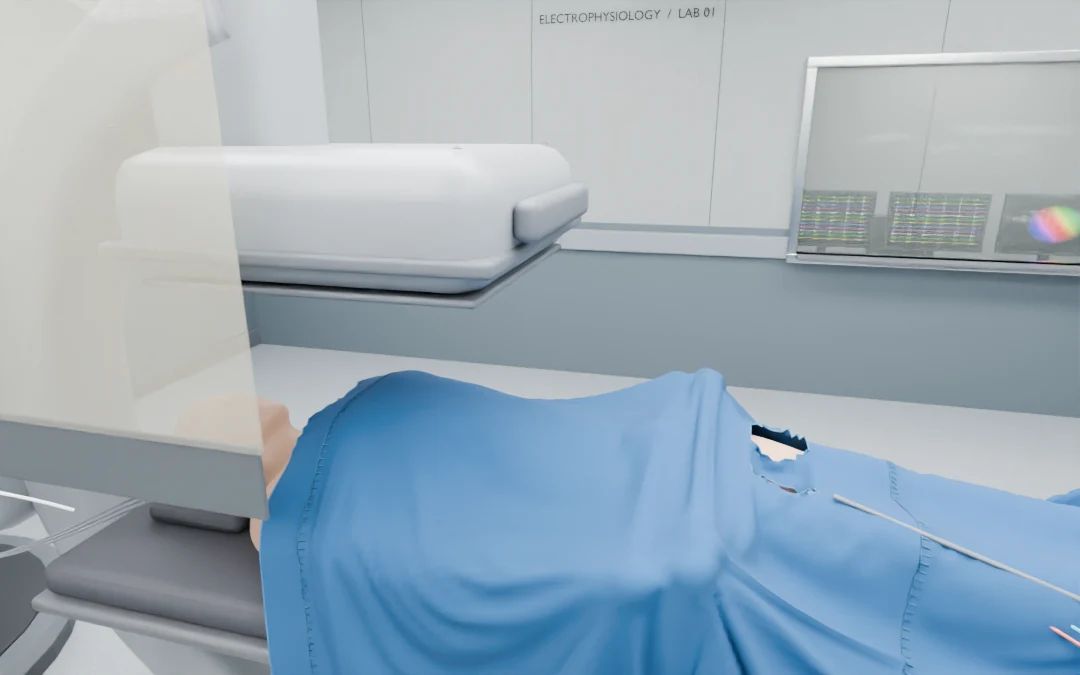
The operator’s viewpoint
A view from beside the simulated patient shows the draped procedure table and nearby monitor.
Open full image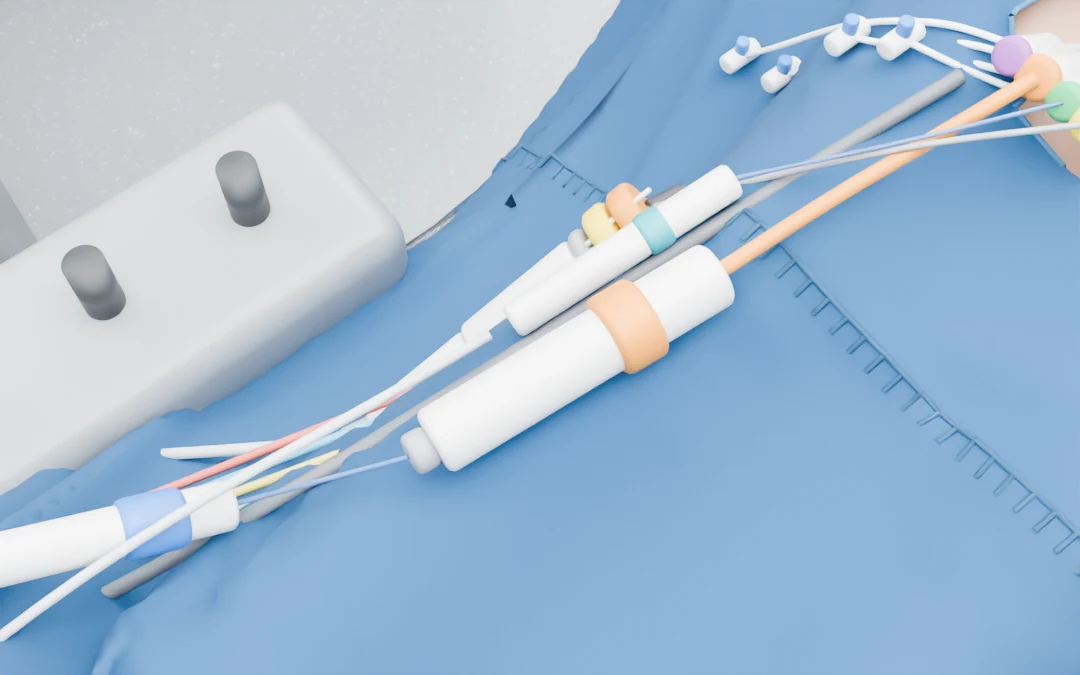
Catheter and sheath controls
A close-up of the 3D catheter and sheath assets, including the modeled steering controls used in the simulation.
Open full imageModified anatomy: Rodero, Strocchi, Marciniak et al., Virtual cohort of adult healthy four-chamber heart meshes from CT images (Zenodo, 2021, doi:10.5281/zenodo.4590294), CC BY 4.0. BodyParts3D, © The Database Center for Life Science licensed under CC Attribution 4.0 International. Room textures: ambientCG, CC0. Heart anatomy dataset · BodyParts3D attribution · CC BY 4.0 license · ambientCG textures